I built a photography blog with GitHub Actions, Backblaze B2 and Cloudflare
Preface: On my personal circumstances
I recently became a digital nomad. Being a creative person, I always have to have a creative hobby. What exactly that is varies: Sometimes it is music, other times I code a project in my free time. Because I could not carry my music gear with me, and I did not want to rely on coding as my sole creative hobby (because I get tired of staring at my IDE at work and in my free time), I decided to get into photography, which has been an interest of mine for a few years now.
After the first few weeks, I felt like I had to do something with the pictures though: If I just let them rot on my hard drive, I would not be particularly inspired. As with my music, I have to post the results of my work somewhere for people to see, even if it is far from perfect. So I decided to set up a blog. It would double as an exercise in writing, which is a skill I am trying to cultivate. As knowledge workers, I believe we have to resist the urge of leaving everything to AI – articulating our thoughts clearly is a part of our job, after all, even if we are just articulating our thoughts to LLMs.
I looked at a few different options – hosting a WordPress blog, or running one of several applications on a VPS. I could have signed up with a bunch of services. I seriously considered Substack as an option, but did not like that it is text-first, and there is only so much you can do with images. It might still be worthwhile because it allows you to get discovered and has a range of useful features, but I figured I’d like something more … customizable.
So I figured that really, a blog just consists of some HTML and the images. I have experience with static site generators like Jekyll (which is powering this blog), and I was already backing up my images to Backblaze B2, so I started thinking … how difficult could it be to build my own blog?
Building a Blog
I wanted a technology that allows me to write pages in Markdown, apply a nice theme and publish the resulting page to GitHub Pages. I’m using Jekyll for this blog, but it is somewhat limited.
When I started searching for other static site generators, I came across Hugo. Hugo also seems popular for documentation, which got me thinking that learning it might be a solid investment in my future – who knows, I might use it professionally one day.
So I’m using Hugo to generate HTML. I can host this HTML on GitHub Pages with ease. I can set up DNS on Cloudflare at my twaslowski.com domain. And it turns out that Backblaze B2 and Cloudflare have a partnership so that egress is free.

The Infrastructure
I’m a DevOps engineer by trade, so my first action item was setting up Terraform and opening up the docs for the Cloudflare and B2 providers. This turned out to be easy.
Setting up Storage
I already had B2 set up to back up my RAW files. I had rclone configured, so all I needed was a new, public bucket with reasonable CORS configuration.
1
2
3
4
5
6
7
8
9
10
11
12
13
14
resource "b2_bucket" "photos" {
  bucket_name = var.b2_bucket_name
  bucket_type = "allPublic"

  cors_rules {
    cors_rule_name = "allow-blog"
    allowed_origins = [
      "https://photography.twaslowski.com",
    ]
    allowed_headers = ["*"]
    allowed_operations = ["s3_head", "s3_get"]
    max_age_seconds = 3600
  }
}
Setting up DNS
We’ll need two different records: One to serve the actual blog, which will be hosted at photography.twaslowski.com, and then another one for all the CDN tasks (at img.twaslowski.com). Here’s the code:
1
2
3
4
5
6
7
8
9
10
11
12
13
14
15
16
17
18
19
20
21
resource "cloudflare_dns_record" "pages" {
  zone_id = var.cloudflare_zone_id
  name    = "photography"
  type    = "CNAME"
  content = "twaslowski.github.io"
  proxied = false
  ttl     = 3600

  comment = "managed-by:terraform;application:photo-gallery"
}

resource "cloudflare_dns_record" "images" {
  zone_id = var.cloudflare_zone_id
  name    = "img"
  type    = "CNAME"
  content = "f003.backblaze.com"
  proxied = true
  ttl = 1 # auto when proxied

  comment = "managed-by:terraform;application:photo-gallery"
}
Note the comment field. Always tag your cloud resources, kids! Also, of course the subdomains are parameterized. This is just for the sake of illustration. And that’s the essential infra!
Transform Rule
You also should set up a Cloudflare transform rule. Everything works without a transform rule, but this allows bad actors to serve untrusted content through your domain. Consider this URL structure: https://img.twaslowski.com/photos-web-prod/portugal/hike-1.avif.
It just consists of my CDN subdomain (img.twaslowski.com), the bucket name (photos-web-prod) and then a file path.
Do you see the problem? A bad actor could create a bucket called bad-photos and serve arbitrary files under my subdomain if I’m not careful! Something like https://img.twaslowski.com/bad-photos/a-very-pad-photo.jpg could now easily resolve to a malicious file in a bucket I do not control.
The folks at Backblaze have documented this problem and the solution very well, and you can find that article here if you’re interested.
Essentially, to remediate this problem we’ll have to set up a transform rule to ensure that all calls to img.twaslowski.com automatically resolve to the bucket I control.
1
2
3
4
5
6
7
8
9
10
11
12
13
14
15
16
17
18
resource "cloudflare_ruleset" "bucket_rewrite" {
  phase = "http_request_transform"

  rules = [
    {
      expression = "(http.request.full_uri wildcard r\"https://img.twaslowski.com/file/*\")"

      action = "rewrite"
      action_parameters = {
        uri = {
          path = {
            expression = "wildcard_replace(http.request.uri.path, r\"/file/*\", r\"/file/${var.b2_bucket_name}/$${1}\")"
          }
        }
      }
    }
  ]
}
Now, a URL like https://img.twaslowski.com/file/portugal/pt-12.avif internally gets rewritten to the bucket of my choosing. No more bucket injection!
Caching
I use Cloudflare to aggressively cache images at the edge. All content served from img.twaslowski.com is cached for a month, given that the status code of the initial request is 200.
1
2
3
4
5
6
7
8
9
10
11
12
13
14
15
16
17
18
19
20
21
22
23
24
25
26
27
28
resource "cloudflare_ruleset" "cache_images" {
  phase = "http_request_cache_settings"

  rules = [
    {
      expression = "(http.host eq \"img.twaslowski.com\")"
      action     = "set_cache_settings"

      action_parameters = {
        edge_ttl = {
          mode    = "override_origin"
          default = 7 * 24 * 3600

          status_code_ttl = [
            {
              status_code = 200
              value       = 7 * 24 * 3600
            },
            {
              status_code = 404
              value       = 0
            }
          ]
        }
      }
    }
  ]
}
Specifying status codes is important here! I initially misconfigured this and cached some 404s. I had a very bad time debugging this and ultimately had to clear my cache via the Cloudflare REST API. That’s two hours of my life I’m not getting back.
Static Site Generation
I would just like to say: Hugo is very powerful. It mixes HTML + CSS, JS and the Go template language. The Go template language is a different beast entirely that I have strong opinions on which I won’t get into today. If you’re interested in more reading, I recommend this brilliant article: Every Simple Language Will Eventually End Up Turing Complete.
I’ve coded a few projects with NextJS and have kind of grown to like TypeScript. I was considering building a project on this stack and hosting it on Vercel, but I felt like doing something simple for once.
But then I tried doing some more powerful things, like implementing a carousel. What is about to follow is purely my fault. Brace yourself.
1
2
3
4
5
6
7
8
9
10
11
12
13
14
15

<div class="carousel-track" style="position:relative; width:100%;">
    {{ range $i, $img := $images }}
    <div class="carousel-slide" data-index="{{ $i }}"
         style="transition:opacity 0.3s; {{ if $i }}opacity:0; position:absolute; top:0; left:0; width:100%; pointer-events:none;{{ else }}opacity:1; position:relative; width:100%;{{ end }}">
        {{ if $i }}
        {{ partial "image.html" (dict "src" (printf "%s%s" site.Params.imageBaseURL (strings.TrimSpace $img)) "alt"
        $alt "style" "width:100%;" "datasrc" true) }}
        {{ else }}
        {{ partial "image.html" (dict "src" (printf "%s%s" site.Params.imageBaseURL (strings.TrimSpace $img)) "alt"
        $alt "style" "width:100%;" "eager" true) }}
        {{ end }}
    </div>
    {{ end }}
</div>

If you did not read that in its entirely, I don’t blame you. Mixing the Go templating language and HTML is the most blursed thing I’ve seen in a while. It is incredibly powerful, but I’ve seen some truly unspeakable things.
The above is the implementation of a carousel, where you can cycle through a selection of images. It is invoked as follows:
1
2
3
4
{{< carousel
images="portugal/pt-6.avif,portugal/pt-9.avif,portugal/pt-12.avif,portugal/pt-15.avif,portugal/pt-14.avif"
alt="Hiking in portugal is nice"
>}}
That results in the following:
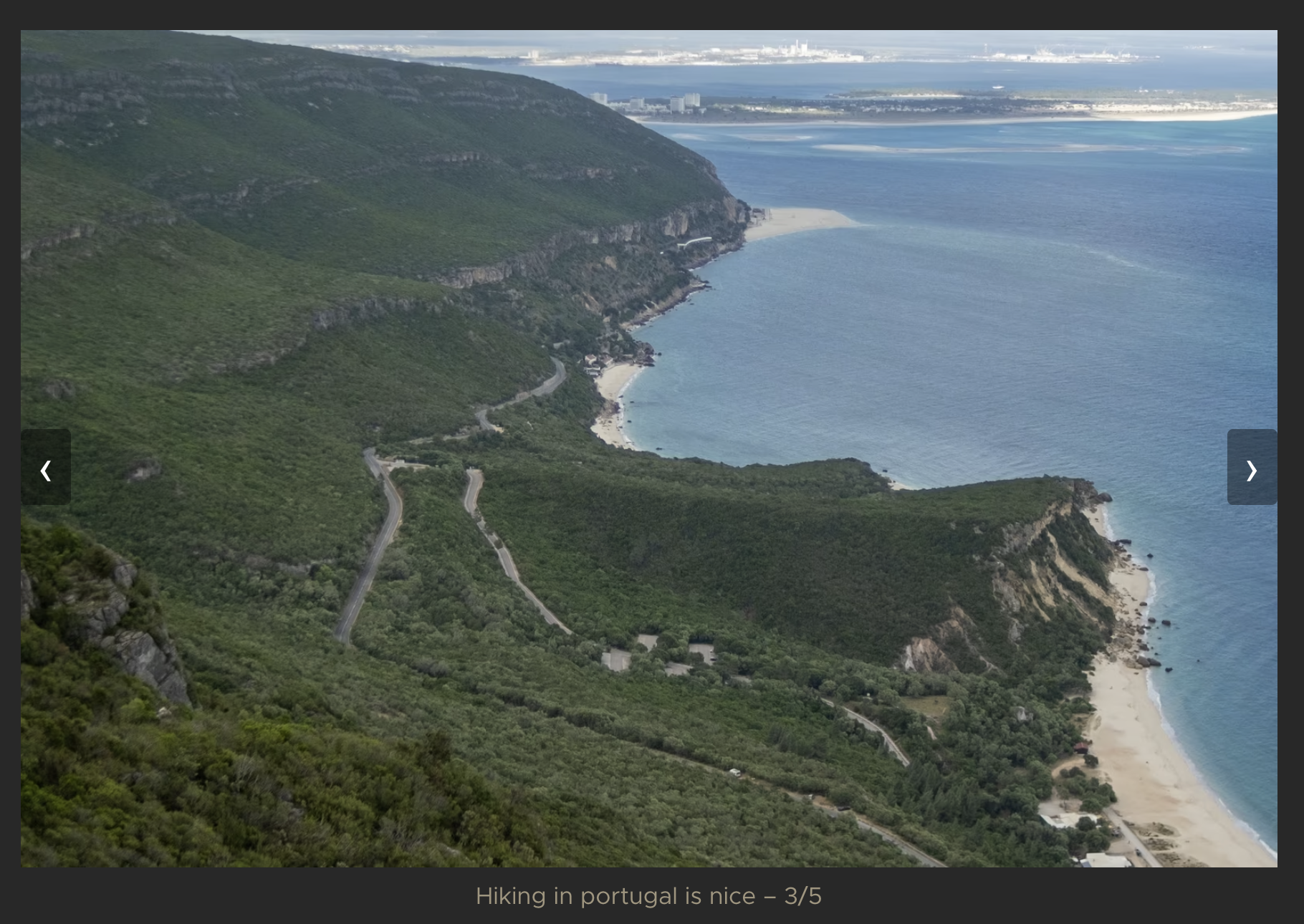
With extensive help of LLMs (obviously, what sane person what write this stuff on their own?) I managed to get a healthy selection of macros (shortcodes and partials, in Hugo terms) that handle image loading and displaying with a healthy bit of optimization. They are easy enough to use that dealing with their maintenance every once in a while is not so bad.
Wrapping up
This is honestly a super fun project that I’ve enjoyed working on a lot. There’s a bunch of stuff I haven’t even gotten into yet:
- There is a custom theme, which you can find at twaslowski/newsroom. Instead of the plain old black and white, the light mode theme is based on Solarized and the dark mode theme on Gruvbox.
- Also, the shortcodes and partial system is quite powerful, and I really enjoy working with it, despite my complaints about the syntax above. I have abstracted away a lot and encapsulated a bunch of small performance hacks, like using
srcset, that make it very easy to work on the website. - There is a bunch of tooling around resizing and uploading images. For example, there is a
resizecommand that generates resized images using ImageMagick and asynccommand that syncs my images directory to B2 using rclone. Good tooling is important!
I believe that’s it.